I installed a custom launcher on my Samsung Galaxy and accidentally fell in love
I finally found my perfect home screen setup.
MakeUseOf
Ever since I switched to the Samsung Galaxy S24 Ultra, I've mostly stuck with what Samsung intended: One UI. And I've had very little reason to leave — it's polished, packed with useful features, and with Good Lock, I can customize almost every corner of the experience to my liking. But even the software you enjoy can start to feel a little too familiar after a while.
That's not a criticism of One UI. If anything, it's a testament to how long I've happily used it. Still, I found myself craving something different, simply because a fresh perspective can make a device feel new again. So, out of curiosity, I decided to try a different launcher. A few hours in, I realized I already loved it.
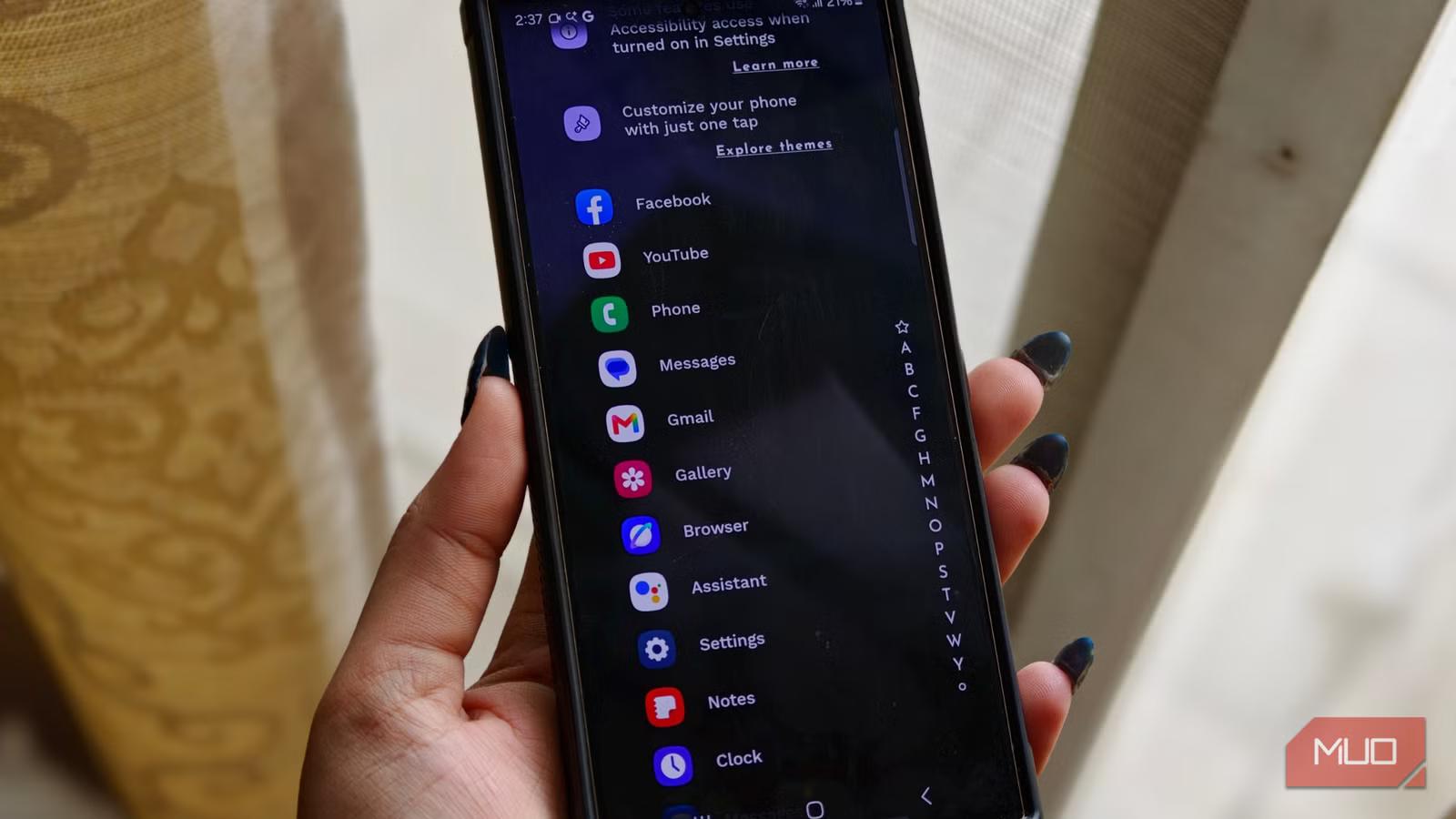
The first thing that caught me off guard about Niagara Launcher was just how different it felt. Instead of filling the home screen with rows of icons, folders, and widgets competing for attention, it takes a much simpler approach. Everything revolves around a single vertical list of apps. At first, it reminded me of scrolling through an app drawer, but it quickly became clear that this was much more efficient. Every app is clearly labeled, nothing is hidden behind folders, and I never have to spend a few seconds hunting for the app I'm looking for.
The apps I use most frequently sit front and center, exactly where my thumb naturally lands. When I need something else, I simply slide my finger along the edge of the display to bring up an alphabetical list. From there, jumping to any app takes a single motion. I don’t have to swipe through multiple home-screen pages, open folders, or even type app names into a search bar.
What surprised me most was how much it improved one-handed use. After spending years with large phones like the Galaxy S24 Ultra, I'd gotten used to constantly shifting the phone in my hand just to reach things near the top of the screen. Niagara Launcher solves that exact problem. Because everything is arranged in a clean vertical stack along one side, almost every interaction stays within easy reach. Only hours in, and I suddenly wondered why every launcher doesn't work this way.
At first glance, Niagara’s home screen already feels like a different way of using a phone. But the real surprise kicks in when notifications show up. Instead of pulling you into a separate notification shade or burying alerts in a long, cluttered list, everything appears right next to the app it belongs to. So if I get a message, it doesn’t feel like a random interruption — it sits beside WhatsApp or Instagram, waiting for me exactly where I’d expect it.
There’s a small preview that shows just enough of the message to give me context. If it needs my attention, I can tap it to expand it into a clean, floating view. From there, I can read the full message, reply on the spot, or simply dismiss it without breaking my flow.
What I’ve noticed is how much this changes my behavior. On a normal setup, opening something like Instagram “just for a comment” almost always turns into a scrolling session I didn’t plan for. Here, that spiral doesn’t really happen. I deal with what I need to, and then I’m done. There are also subtle indicators that keep things grounded. Small dots sit next to apps with something new waiting, so I always know what needs attention without constantly checking.
Niagara also rethinks something as basic as folders, and it does it in a way that feels surprisingly natural once you get used to it.
Instead of sending me to a separate folder screen filled with apps, it keeps everything layered on the same home screen. I tap a grouped set of apps, and a small floating panel appears right there. I pick what I need, and it disappears again. There’s no “going in and out” of menus, so I never lose track of what I was doing in the first place. In daily use, this makes everything feel more continuous. I’m not constantly jumping between screens; I just dip in briefly to what I need and move on.
Then there are gestures, where things start to feel even more personal. Niagara lets you assign swipe actions to your favorite apps, so each gesture becomes a shortcut tailored to your own habits. Instead of opening an app and then figuring out what to do next, I can trigger specific actions instantly with a simple swipe. For me, it’s become muscle memory. A swipe on my camera doesn’t just open the app — it takes me straight to my gallery. A swipe on Slack doesn’t just launch it; it takes me directly to the workspace I use most.
Niagara Launcher is a minimal Android launcher designed to make your phone more pleasant to use while reducing distractions. The hallmark feature is its list-based approach — your home screen is just a list of apps and a clock. Don't let the simplicity fool you, though — it's actually quite customizable and feature-rich.
This launcher didn’t just change how my phone looks; it changed how I use it. The first few days were definitely an adjustment. I had to slow down a bit, learn where everything lived, and get used to a completely different rhythm of interacting with my apps. But once that initial learning curve faded, it started to feel natural. Now, I don’t really think about it anymore. I know exactly which swipe takes me where, which gesture opens what I need, and how notifications will appear without even second-guessing it. It’s all become second nature, like my fingers learned a new language without me having to try.
What I appreciate most is how clean everything feels once it clicks. Just a simple, minimal layout that gets out of the way and lets me move faster. And that, for me, is what a good custom launcher should do; it should really just feel like home.
Saturday, June 27, 2026